CMPUT 503 Lab 1 report
Walking on 2 lanes video
It was hard to make the duckiebot run in a straight line. As you see in the video, the duckiebotis not stable. We find that it is hard to replicate the straight line behavior on a subsequent run. Perhaps it because of the terraine RNG.
Lane Following Demo
Surprisingly, Lane Following was not difficult to get it working. We followed the tutorial here.
The command dts duckiebot demo .... downloaded the lane following script onto the keyboard_control module. When we loaded the keyboard_control GUI, it had an option to run it.
Interestingly, when we did rqt_image_view to see what the duckiebot sees during the lane following, we found that its camera detected someone’s shoe as a yellow tape. However,
that did not affect the lane following demo. \
I think by downloading the demo, it downloads the computer vision and control algorithms to follow the lane. Just as we see in rqt_image_view, the
computer vision algorithm detects the yellow tape and the following logic is done by the control algorithm.
There was a typo in the exercise 1 checklist. dts was prefixed twice.

Kinematic
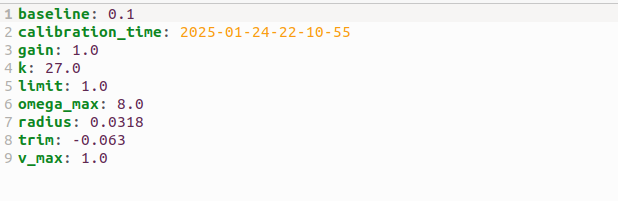 I followed the wheel calibration tutorial here to calibrate the trim value.
Trim value is used to control the amount of horizontal drift of the duckie bot.
Trim should be 0 if wheels and motors are balanced, but our is not
We tried the trim value between 0 to -0.8 and and the TA Dikshant helped us fine tune to -0.063. Negative trim to make the duckiebot drift more to the right.
I followed the wheel calibration tutorial here to calibrate the trim value.
Trim value is used to control the amount of horizontal drift of the duckie bot.
Trim should be 0 if wheels and motors are balanced, but our is not
We tried the trim value between 0 to -0.8 and and the TA Dikshant helped us fine tune to -0.063. Negative trim to make the duckiebot drift more to the right.
We had a straighter 2 meters run with trim value -0.8 but we forgot to record it and we could not replicate it on the subsequent run.
Between many runs, the duckiebot veered right at different rates despite having the same trim value. We think the reason is that the wheels are sensitive to small bumps in the terrain. Sometimes it makes a sharp drift or a slow drift. Perhaps that’s the reason why different runs have different drifts despite having the same trim value.
Increasing the speed helped stablize the drifts because faster speed helped overcome small bumps.
Intrinsic Camera calibration
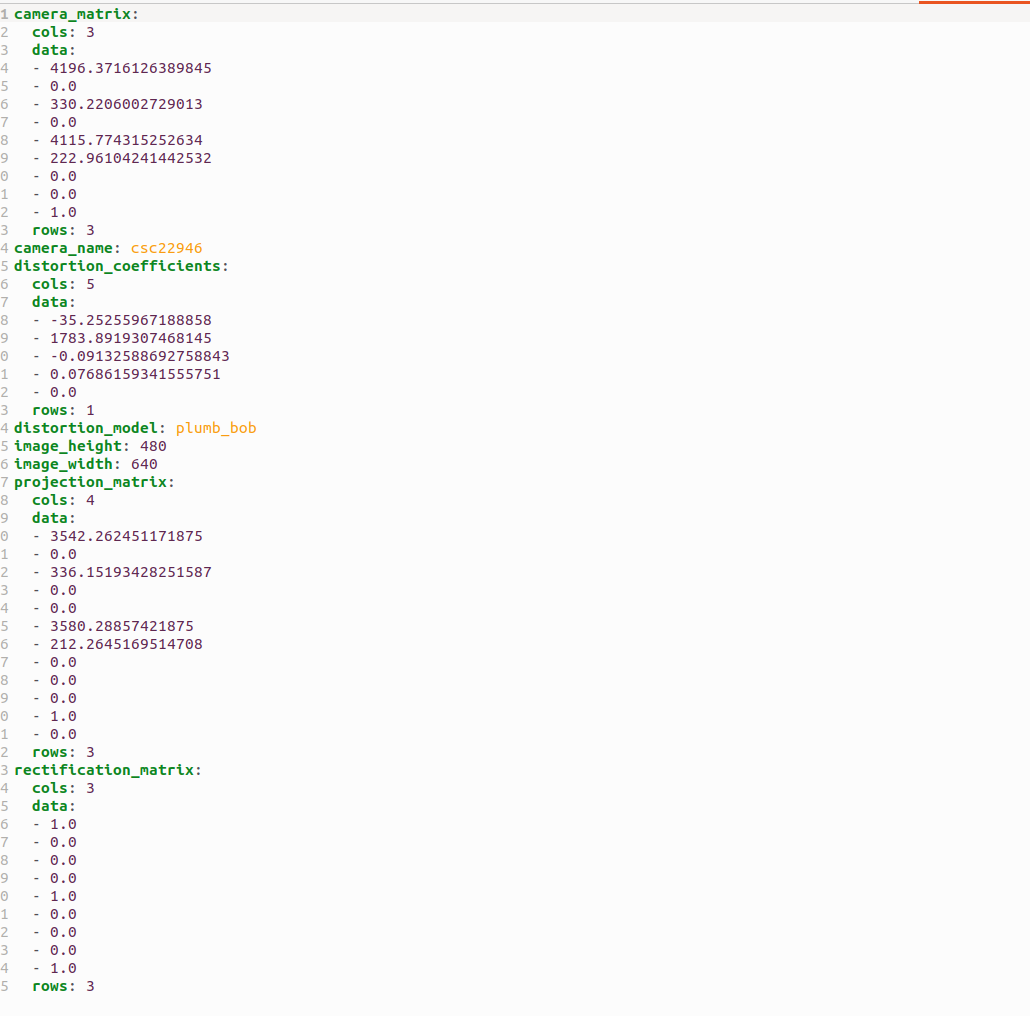 I learned that intrinsic parameters contain pixel scaling, focal length, skew, principle point coordinates, and radial distortion. In order project accurate world POV to 2D image plane of the robot, we need to calibrate these parameters. (cite)
Extrinsic Camera calibration
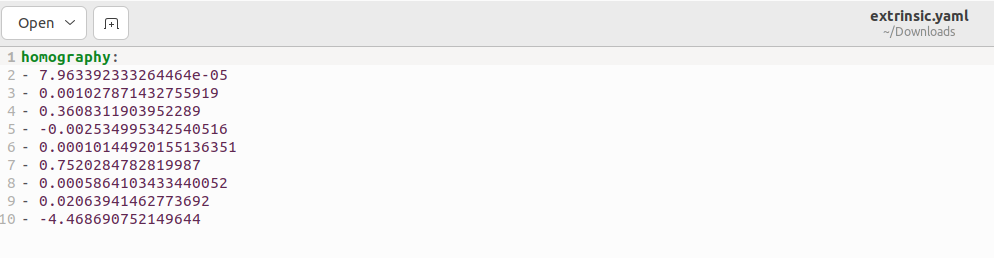 Extrinsic calibration parameters include rotation and translation relative to the world frame. (cite)
We had issues with the slow and unresponsiveness of the calibration GUI tool. However, the responsiveness of the tool got better on the next day. Overall Camera calibrations were quite easy. We remembered to only hit commit and not save.
Hello World

In this exercise, I learned the importance of Docker. Docker allows you to create an image which containerizes operating systems, software, binaries, etc to make an image that are portable across systems. No difficulties getting the hello world to work.
Dashboard
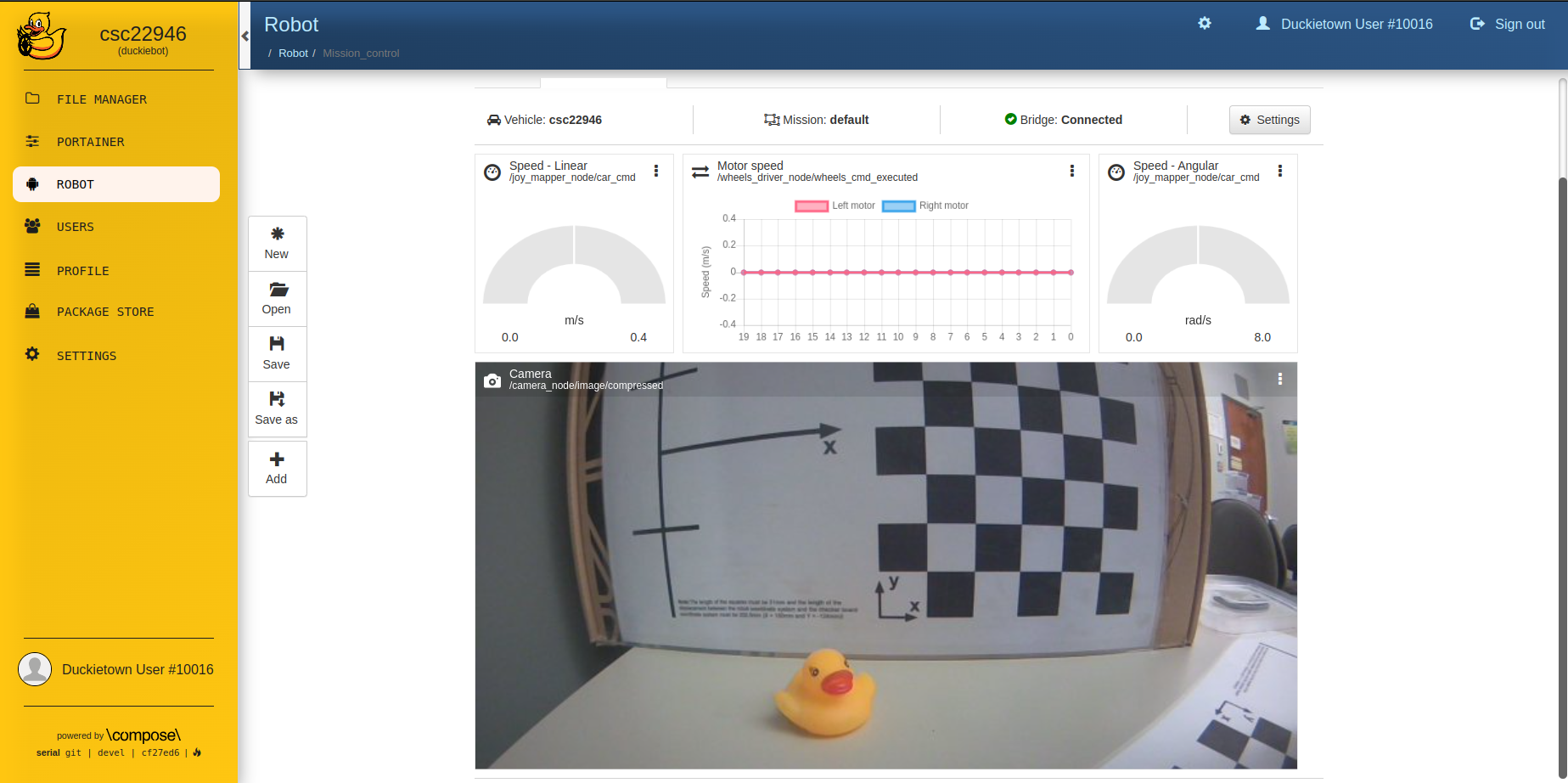
The left panel shows the current speed of the duckiebot (m/s). The middle panel shows the individual speed of each wheel. I think the last panel shows the rate of rotation (rad/s) of the duckiebot.
Challenges and difficulties
I keep having docker 401:unauthorized error when I tried to update the duckiebot. It took a while to figure out that the access token had to have both read and write
permissions. Recreating the access token with the right permissions fixed it.
The lane following video that we recorded was 140MB, which caused my git push to be rejected. The file was too large.
I tried to compress the video to be below the file size threshold and recommitted it. However, my git push was still rejected due to the ancestor local commits having
reference to the old video. The work around was to use git filter-branch --tree-filter 'rm -rf path/to/video' HEAD to remove the large video
from the commit history. cite
Conclusion
In conclusion, the key takeaway of lab 1 was to get familiar with maintaining the hardware component of the duckiebot before getting into the coding aspect.
Calibrating wheels and camera is a prerequisite to harder tasks. The demo is to ensure that the calibrations are done correctly.
Reference
I worked with Martin Mclaren and Nicolas Ong.